
In Syncrostore, your rent and settlements are tied to a single running balance system, referred to as your "Vendor Balance."
The balance functions similarly to your bank account, where you start at $0.00, and your account can be credited or debited via various events.
For example: If your administrator runs rent, your account will be debited your rent amount. If you make a sale, your account will be credited with the sale amount (minus commission).
When your manager or store owner runs rent at the end of the month, if you have a positive balance, you will receive a settlement check (or ACH payment if enabled) for your balance amount. This payout will re-balance your account to $0.00 until your account is credited or debited again.
Note that we will not generate settlement checks for vendors with NEGATIVE balances. If you have a negative balance, you must follow your store's policy on rent payment.
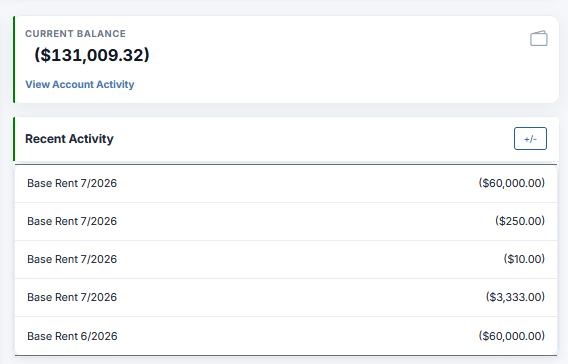
You can always view your vendor balance on the your Vendor Dashboard, and you can view a more detailed breakdown of your vendor balance by clicking View Account Activity, located directly beneath your current balance.