
Other Payment Methods → Check. If you don't see Check as a payment option, please tell your Administrator to toggle Enable Checks in their Store Preferences.
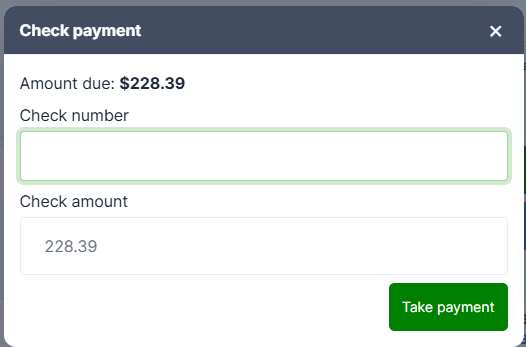
| Field | Notes |
|---|---|
| Check number | Optional, but record it — it's what you'll reconcile against |
| Check amount | Pre-filled with the amount due |
Press Take payment.
The one rule
A check can't be more than the balance. If you enter more you'll see:
Check amount exceeds the remaining balance (max $56.68).
Unlike cash, there's no change from a check. If a customer writes one for more than the total, you'll need to handle the difference outside the register.
Partial checks
Enter less than the balance and the check is recorded as a partial — you'll see "Partial: $40.00 paid, $16.68 left". Take the rest on another tender. See Split Payments and Partial Tenders.
Where the check number goes
It's stored against the payment and appears on the Payments tab as "Check #1042", so you can match it up later.
