
You get an invoice when your balance at settlement is negative (your rent and fees were more than your sales) and an automatic debit couldn't be made, for example because autopay isn't turned on in SyncroPay/SyncroACH yet or your bank account isn't verified.
Who this is for
- Vendors whose store collects rent through Syncrostore invoices.
How it works
- Your store charges rent; Syncrostore only keeps the running balance.
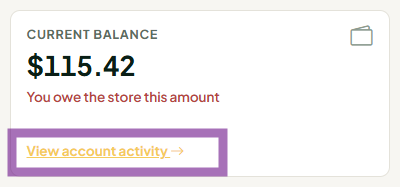
- At each settlement, if your balance is negative, you owe the store that amount.
- If autopay is on and you have a verified bank account, the amount is debited automatically.
- If autopay is off, or the debit fails, you're emailed an invoice instead.
- The invoice shows your balance at the moment it was sent. Sales or charges after that go toward your next settlement.
Turning on autopay
- Make sure your bank account is linked and verified in SyncroPay/SyncroACH (see How do I set up direct deposit for my payouts? (vendors)).
- On your Profile, turn on automatic payment of rent invoices and save.
Screenshot: Vendor Profile with the autopay setting and Save button highlighted - Autopay you set up in Stripe does not carry over. You must turn it on again in SyncroPay/SyncroACH.
If your store still uses Stripe
- Autopay is the Automatically pay rent invoices box on your Profile. Check it to turn autopay on; uncheck it and click Save to turn it off. Syncrostore doesn't turn autopay on for you.
- If the automatic debit fails (for example, no saved payment method), you're emailed a Stripe invoice instead. Pay it through its payment link, or ask your store about paying at the register.
- If Stripe asks you to re-verify your bank or confirm a direct debit authorization, contact Stripe; nothing in Syncrostore triggers those emails.
Common questions
- Can I pay an old Stripe invoice with my SyncroPay/SyncroACH bank account? No. They're separate systems. Pay the Stripe invoice through its payment link, or ask your store about paying at the register.
- I sell at more than one store. At settlement, a positive balance at one store is applied to a negative balance at your other stores if both use the same login email and are in the same store group. You're invoiced only for what's left.
- The invoice amount looks wrong. Open Account Activity and compare the entries up to the invoice date. If a rent charge or credit looks wrong, ask your store; your store sets and charges rent.
- I paid rent outside Syncrostore (cash, Zelle). Ask your store to record the payment on your account so it isn't invoiced again.
- Can I turn autopay off? Yes. Turn off the setting on your Profile and save.
Related articles
- How does the vendor running balance work? (store admins)
- Why doesn't my settlement check match my sales?
- How do I pay my booth rent? (vendors)
