
-
Navigate to your Inventory Page
-
Place your cursor in the small lookup box at the top of the screen
-
Scan your barcode to grab the item
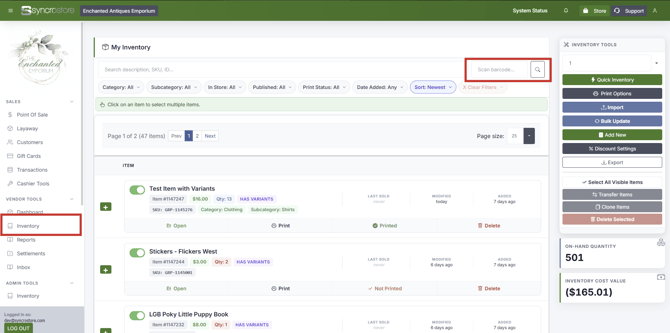
NOTE: This lookup feature was added to accommodate users who wanted to be able to scan their barcodes to filter their inventory. This new field also supports variant items, allowing you to scan any item to quickly find it in your inventory
