
Step 1: Open the Transaction Details and press either "Cash Return" or "Credit Return."
Step 2: Select the items being returned.
Step 3: Check the "Return as Gift Card" checkbox.
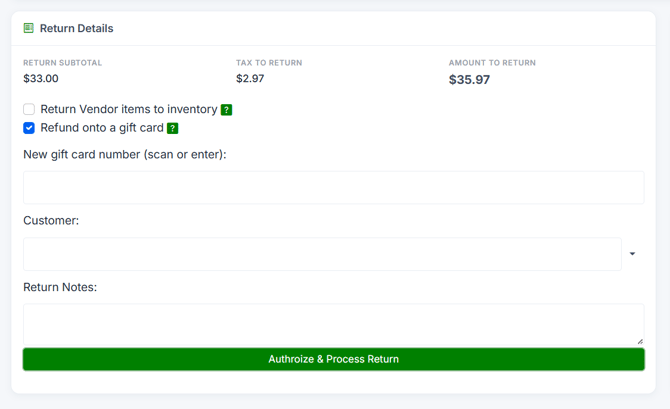
Step 4: Enter:
- New Gift Card Number — Scan or enter the card number.
- Customer (optional).
- Vendor (optional).
- Expiration Date (at least 5 years from now per Federal law).
Step 5: Press "Authorize & Process Return" The gift card will be created with an initial balance equal to the return amount.
Note: Selecting "Return as Gift Card" bypasses all other payment types — the full return amount goes to the gift card.
