
Open Reports, and under Sales & cash choose Cash Drawer. The Remove / Deposit tile at the top tells you how much cash to take to the bank: the counted cash minus your starting float, for each closed drawer.
Who this is for: Store administrators and managers. Managers can open the report but not the Reports page, so they go straight to it: type your store's address followed by /Admin/AdminReports/CashDrawer and bookmark it.
These steps use the New Experience. If your menu looks different, click Switch to New Experience at the top of the page.
The Cash Drawer report has no menu item of its own in the New Experience - it lives on the Reports page.
Open the report
- Go to Reports.
- Under Sales & cash, choose Cash Drawer. (Or type "cash" in the Search reports box.)
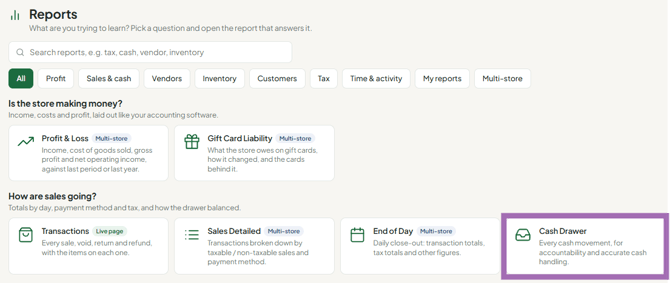
- Set the date range and, if you want, a single register. Everything on the page follows both filters.
The Close-Out Summary
At the top of the report is a row of tiles that answers the question most managers are actually here for: how much do I take to the bank?
| Tile | What it is |
|---|---|
| Open Amount | Total the drawers opened with |
| Cash Sales | Cash taken across those drawers |
| Expected | What should be in them |
| Counted | What was actually counted at close |
| Difference | Over (green) or short (red) |
| Starting Float | Your configured float, from store settings |
| Remove / Deposit | How much to take out |
The deposit figure
Remove / Deposit = Counted − Starting Float, for each drawer that was closed. You set a starting float in store settings, and at the end of the day you remove everything above it so tomorrow starts at the same number. The tile is that amount, and the line underneath spells it out, for example: "Remove $1,499.60 to leave $300.00 in each of the 2 closed drawers for the next shift."
Two things to read carefully
- Only closed drawers count toward the deposit. A drawer still open hasn't been counted, so it can't contribute. When that happens the Counted tile says "2 of 3 closed" - finish closing the third before taking the figure as final.
- Open Amount, Cash Sales and Expected include open drawers; Counted, Difference and Remove / Deposit don't. So mid-afternoon those columns won't tie out. Run the report after everything is closed.
The Register Close-Out Reconciliation grid
Below the summary, one row per drawer session with its own opening float, cash sales, adds, drops, petty cash, expected, counted and variance. Use it to find which drawer is responsible when the summary doesn't look right.
Troubleshooting
- "No starting float is set" - set Cash In Drawer in store settings (Settings > Store settings). Without it the tile just shows the whole counted amount.
- The float shown isn't what you expect - it's the same value the register uses when opening a drawer and the same one printed on the drawer receipt as "Cash Start", so if it's wrong here it's wrong everywhere. Fix it in store settings.
- A drawer is missing from the range - the report filters on the date the drawer opened. A drawer opened late on the 30th and closed on the 1st belongs to the 30th.
- Cash added on the register is missing from the Cash Added column - this is a known issue: cash added through the new register does not currently appear in this grid's Cash Added column. The closed-drawer Expected figure is still correct, because it uses the value saved at close.
