
Overview
Sometimes a settlement goes out before an account is ready. Rent wasn’t posted, a credit or debit was missed, or the wrong cutoff date was picked. Voiding the settlement undoes it as if it never ran. The amount it paid goes back on the vendor’s balance, so you can fix the account and settle them again.
You can void one vendor’s settlement or a whole settlement run at once.
Before you start
Who can void: Store Administrators. You’ll need to enter your password to confirm.
What you can void:
- The vendor’s most recent settlement only. If a vendor has a newer settlement, void that one first.
- Settlements from the last 30 days.
- Settlements paid by check, printed or not. Read the next section first if the check was printed.
What you can’t void here (contact Syncrostore support):
- A settlement with an ACH / direct deposit payment on it (sent, pending or failed).
- A settlement paid on a multi-store group check.
- A settlement older than 30 days.
⚠️ If a check was printed: get the check back and shred it before you void. If the check was already given or mailed to the vendor, or has been cashed, stop. Don’t void it. Contact Syncrostore support instead.
Void one vendor’s settlement
- In the left menu, go to Money › Settlements.
- Open the Settlement runs tab.
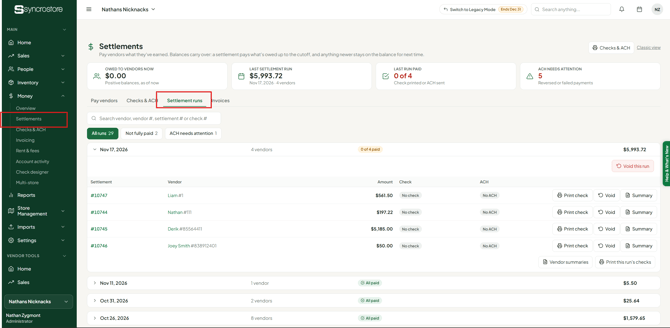
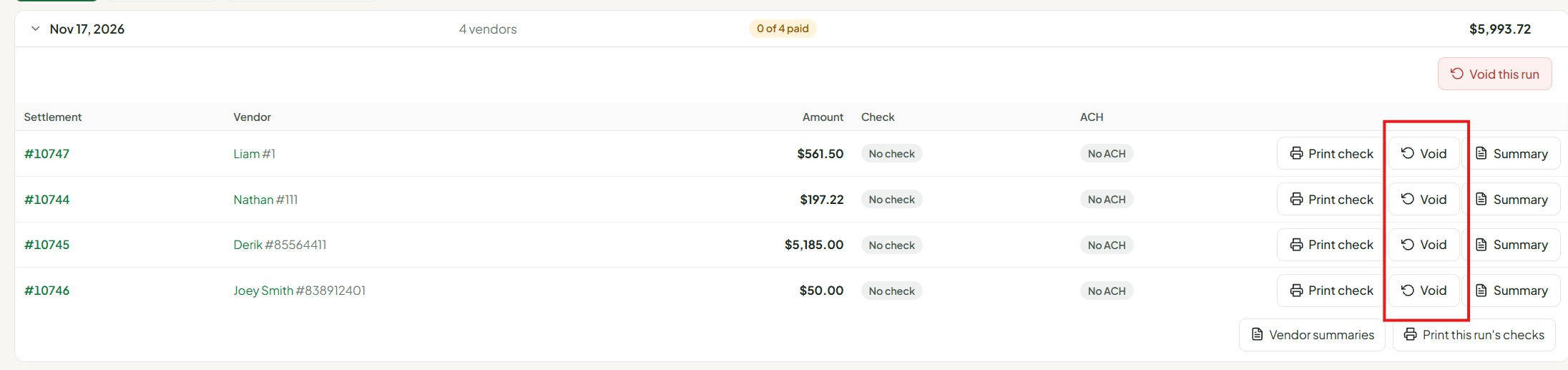
- Click the run date to expand it, then find the vendor.
- Click Void on that vendor’s row
- Check the details in the Void settlement window: the vendor, the settlement number and the amount going back on their balance.
- If a check was printed, read the red warning, then tick the box confirming you have the check back (or it was destroyed) and it was never given to the vendor or cashed.
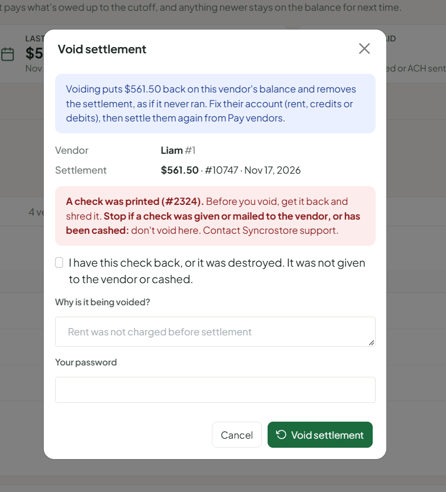
- Enter why it’s being voided, for example “Rent was not charged before settlement.”
- Enter your password and click Void settlement.
A message confirms the void and shows the amount returned to the vendor’s balance. The settlement is removed from the list.
Void a whole settlement run
Use this when the whole run was wrong, such as a bad cutoff date or rent that wasn’t posted yet.
- Go to Money › Settlements and open the Settlement runs tab.
- Click the run date to expand it.
- Click Void this run at the top right of the run.
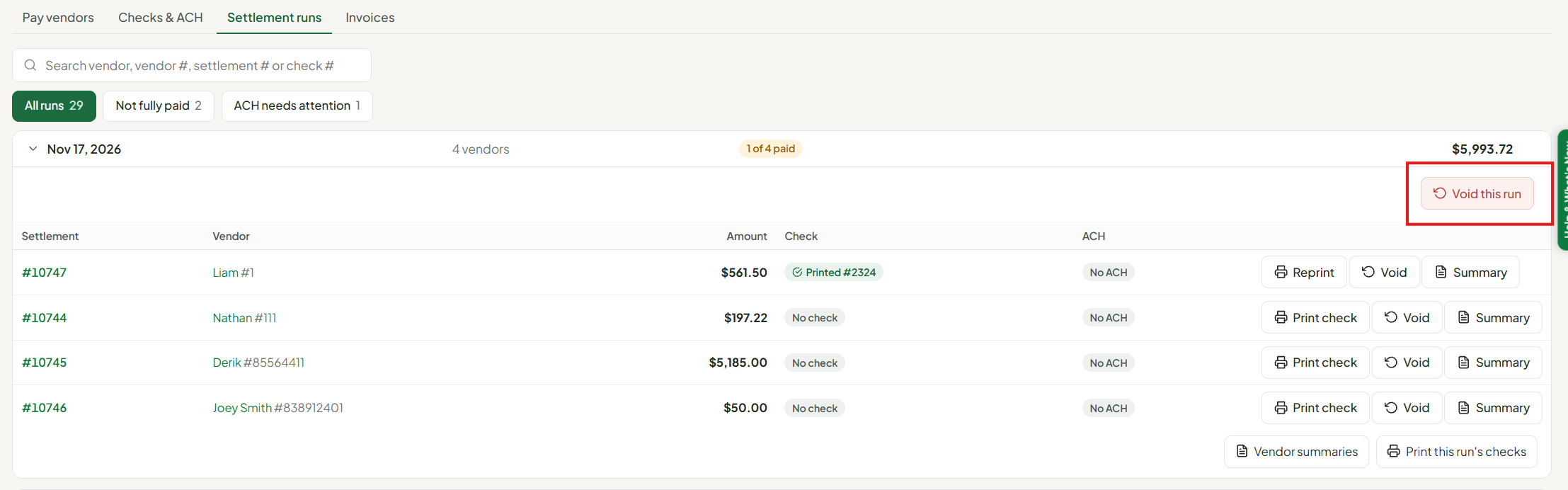
- Review the Void settlement run window:
- how many vendors will be voided and the total going back on their balances
- any vendors that can’t be voided here and will be left as they are, with the reason
- any printed check numbers
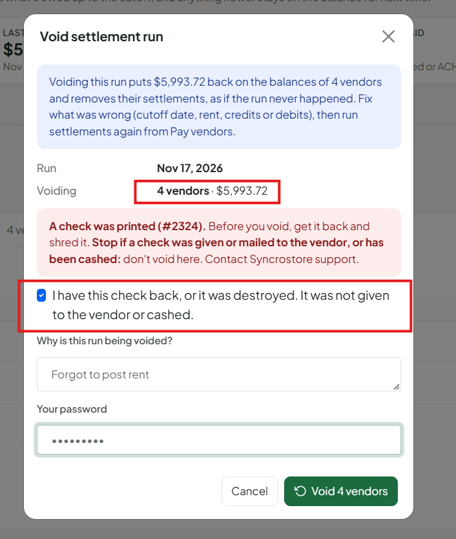
- If checks were printed, confirm you have every one back (or they were destroyed) and none were given out or cashed.
- Enter the reason and your password, then click Void [number] vendors.
When it finishes you’ll see how many vendors were voided. If any were left out, the window stays open with a list of who wasn’t voided and why.
After you void
- Fix what was wrong. Post rent, add the missing credit or debit, or decide on the right cutoff date.
- Settle again from the Pay vendors tab, as you normally would.
- Shred any voided checks if you haven’t already. A new check will print with a new check number.
- QuickBooks: if the settlement was already sent to QuickBooks, the confirmation tells you. Void that check in QuickBooks too. Look for the check number or “SyncroStore settlement #[number].”
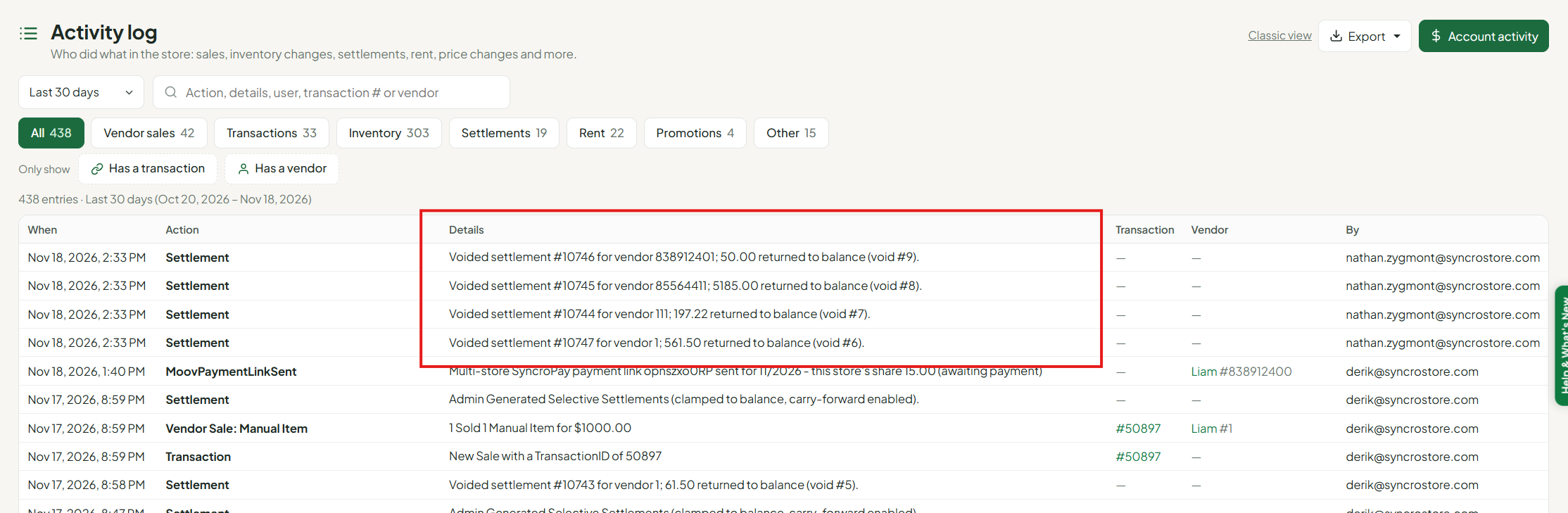
Every void is recorded in your Activity log with who did it.
Why can’t I void this settlement?
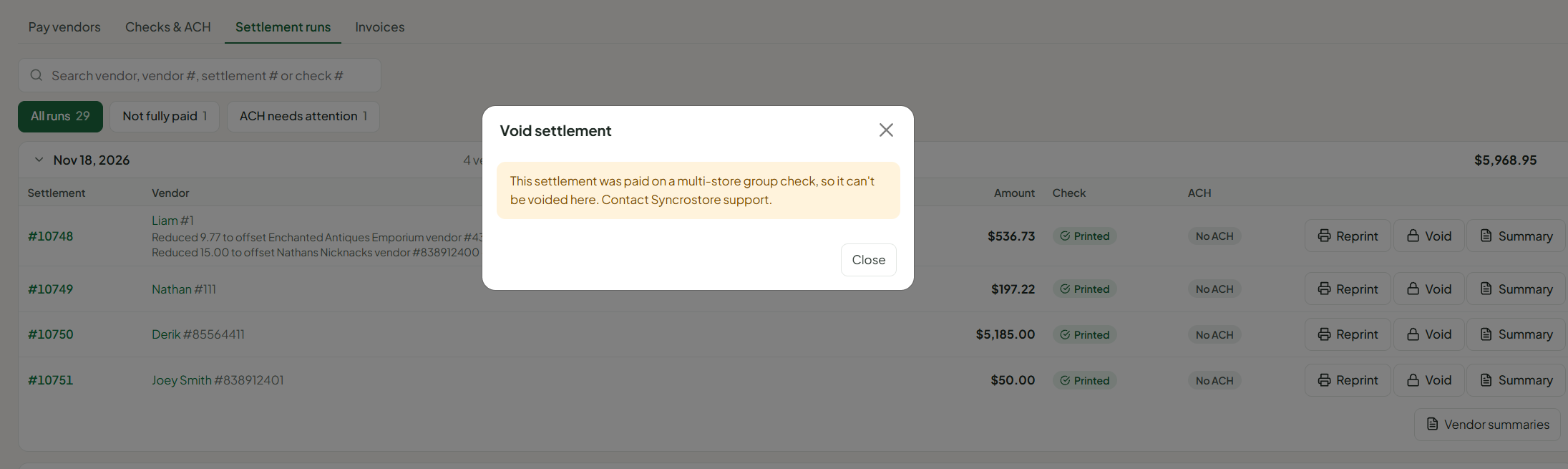
If the Void button shows a lock, click it to see why. Common reasons:
| Message | What to do |
|---|---|
| This settlement has an ACH payment | Contact Syncrostore support |
| Paid on a multi-store group check | Contact Syncrostore support |
| Only this vendor’s most recent settlement can be voided | Void their newer settlement first |
| More than 30 days old | Contact Syncrostore support |
| A multi-store SyncroPay run is paying this settlement right now | Wait for that run to finish, then try again |
| A check was printed for this settlement | Get it back, shred it and tick the confirmation box. If it was given out or cashed, contact support |
| Another settlement action is running for this store | Wait a minute and try again |
Frequently asked questions
Does voiding delete the vendor’s sales?
No. Their sales, rent and other charges stay. They just go back to being unpaid, so the next settlement picks them up.
What about a deposit return in the same run?
Voiding a vendor’s settlement also undoes a deposit return made for them in that same run.
Can a vendor see the voided settlement?
No. It’s removed, and the amount shows back on their balance until you settle them again.
I don’t see a Void button.
Only Administrators can void. The button also doesn’t appear on settlements that are older than 30 days or aren’t the vendor’s most recent.
