
Syncrostore labels encode an internal code that is unique across all stores, not your SKU, UPC or Item ID. The Inventory page search box looks in name, SKU and description, so a scanned label may not match there. Search by the item's name or SKU instead, or use one of the scan-friendly options below.
Who this is for: Vendor, Store staff
These steps use the New Experience. If your menu looks different, click Switch to New Vendor Experience (vendors) or Switch to New Experience (store staff) at the top of the page.
Find an item from a label
- Vendors: open Inventory. Staff: open Inventory > All items.
- Type the item's name or SKU (printed on the label) into "Search items by name, SKU, or description...".
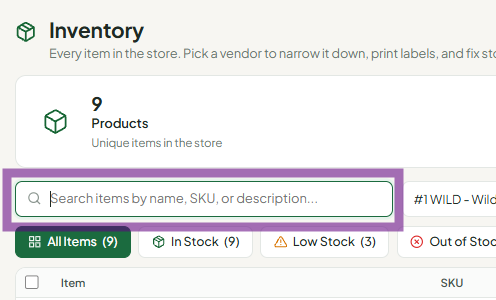
- To look an item up by scanning, open More (⋮) > Classic view and scan into the Scan Universal ID box at the top right. The new Inventory search box doesn't read label codes - it searches description, SKU, UPC and item number only.
- Store staff can also scan an item in Sales > Cashier Tools > Find on map and click Find to see the item and its booth.
Why the search box doesn't find scanned labels
The code in a Syncrostore barcode is not the SKU, UPC or Item ID. It is intentionally not included in inventory exports. If you count stock with your own spreadsheet, put your own barcodes on items using the SKU or UPC fields. Those also scan at the register.
Troubleshooting
- "No item found" after scanning in Classic view: make sure your cursor is in the Scan Universal ID box, not the search box.
- The label won't scan at all: the barcode may be printing too dark. Lower the print density on your printer. Lowercase SKUs can also cause scanning problems. See "Why won't my barcode labels scan?".
- One barcode matches two items: this can happen after imports or transfers. The register asks the cashier to pick the matching item.
